What Occupella looks like
Six screenshots taken from our product recordings and cropped to the part that matters. The names and numbers come from demo and test accounts, not from a customer’s data.
A work order in the Inbox
A maintenance request from Buildium, with a summary, what Occupella noticed across the unit's history, and three drafted next steps.
Maintenance, in detail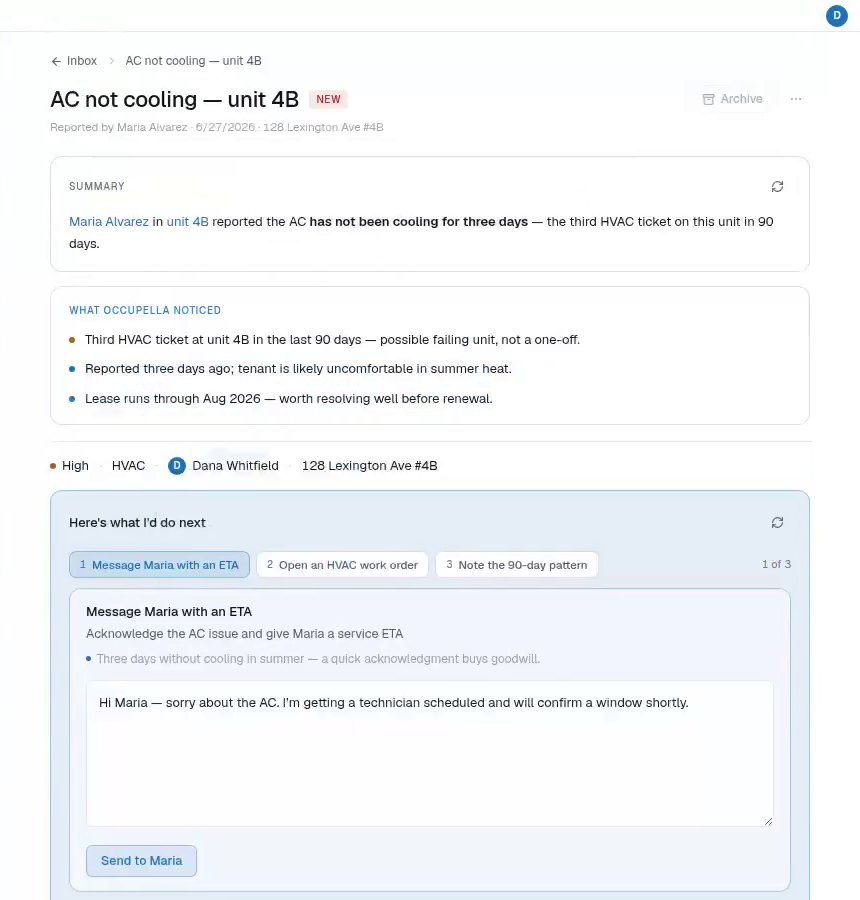
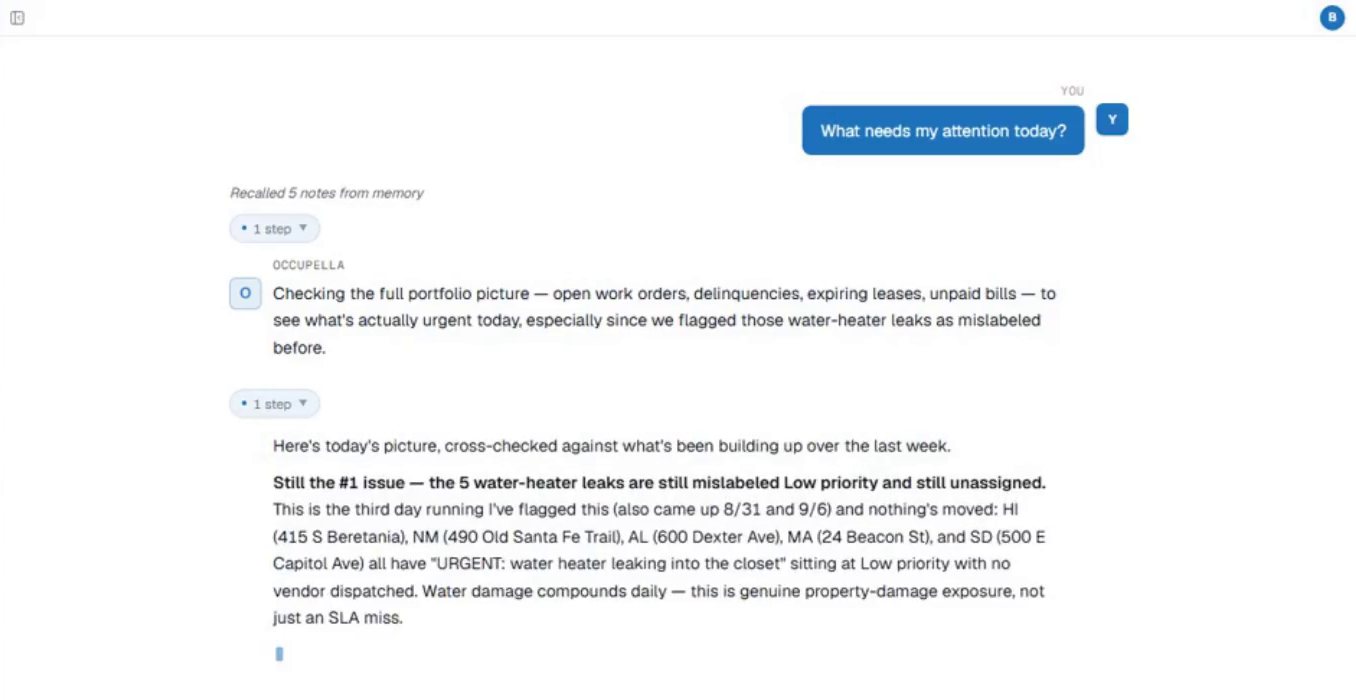
“What needs my attention today?”
Occupella checks open work orders, balances, expiring leases and unpaid bills, and leads with the issue that has gone unhandled longest.
“Which tenants are behind on rent?”
Every lease with a balance, with the amount, how late it is and the open maintenance at that address.
Late rent, in detail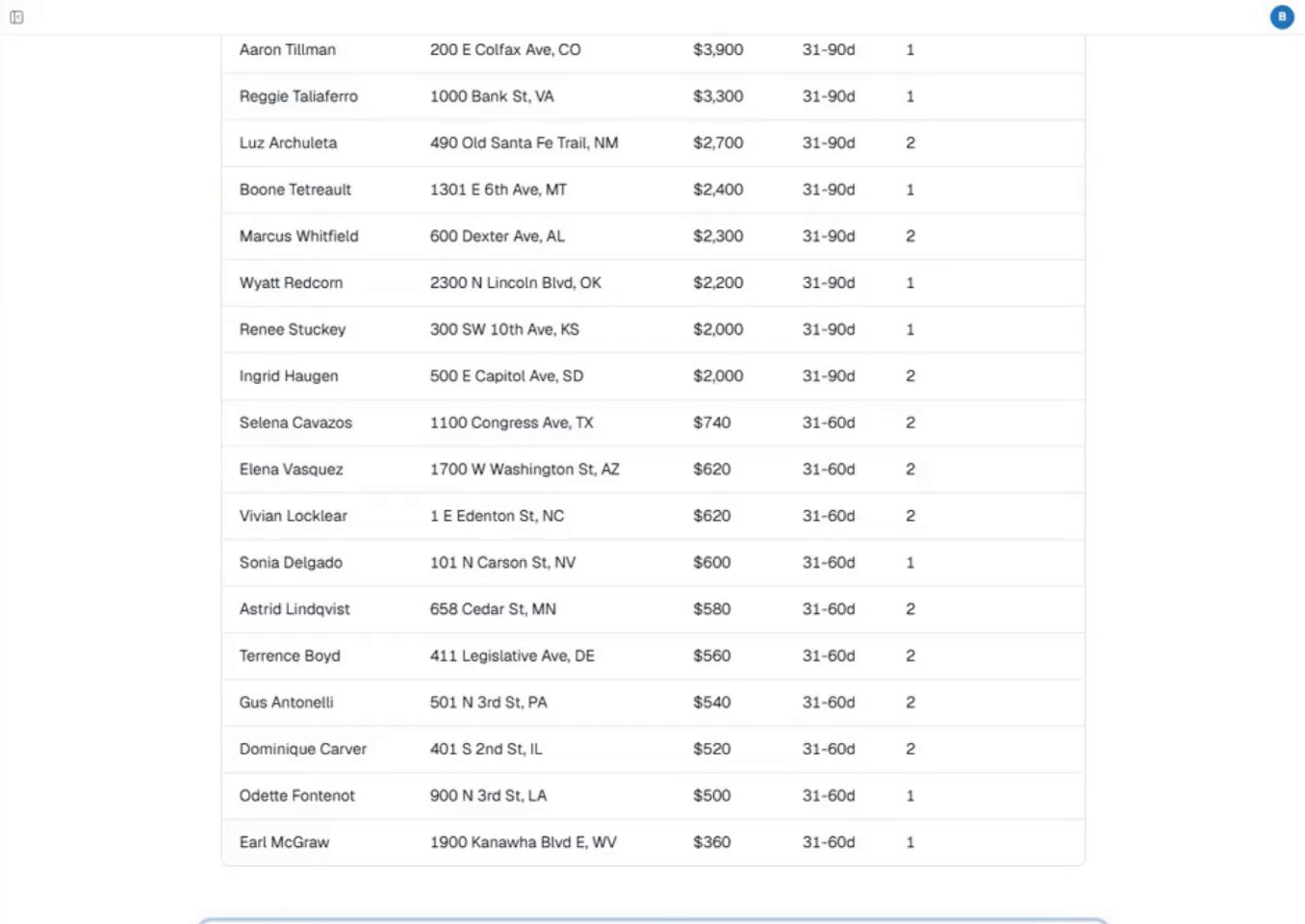
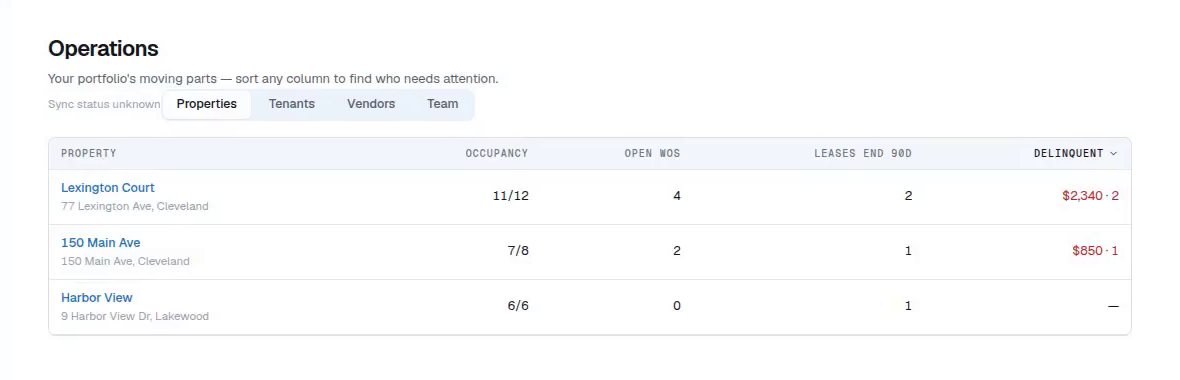
Operations: properties
Occupancy, open work orders, leases ending in 90 days and the delinquent balance for each property, sortable by any column.
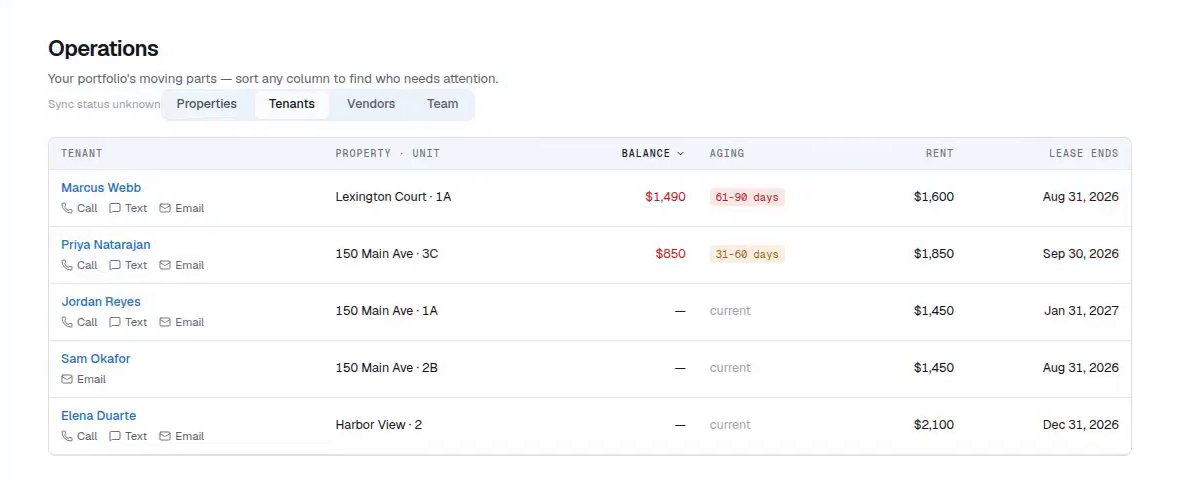
Operations: tenants
Each tenant's unit, balance, aging, rent and lease end date, with the contact options on the row.
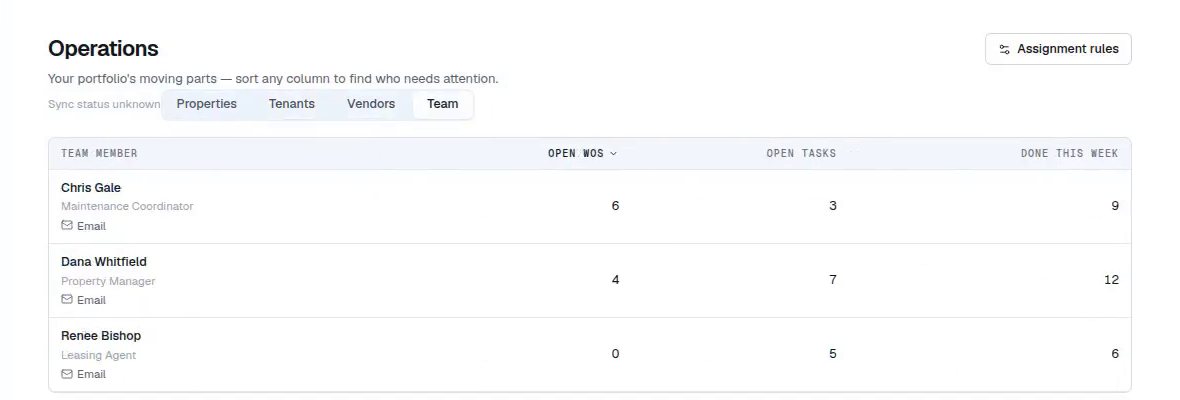
Operations: team
Open work orders, open tasks and what each person finished this week.
See it on your own portfolio
Connect Buildium and these screens fill with your own properties, tenants and work orders. 14 days, no card.